Explore our complete series on RCS messaging for businesses.
If you’re deciding whether your business should use RCS vs SMS, the answer isn’t as simple as choosing one technology over the other. SMS delivers unmatched reach, while RCS creates richer customer experiences. For most businesses, the best messaging strategy combines both.
RCS vs SMS at a Glance
Choose SMS when maximum reach is your priority.
Choose RCS when engagement, branding, and interactive messaging matter most.
Use both if you want the best customer experience without sacrificing message delivery.
Best practice: Use RCS when it’s available and SMS as a reliable fallback.
On This Page: Best Review Sites for Wellness Businesses
What Is the Difference Between RCS vs SMS?
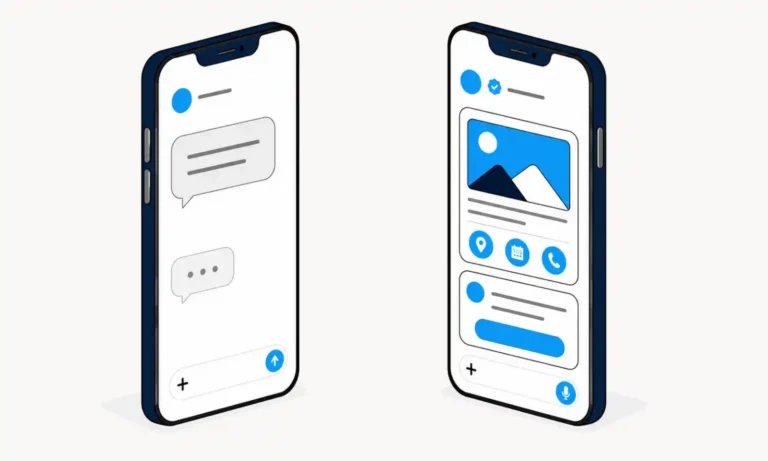
RCS vs SMS comes down to functionality versus reach. SMS is designed for universal compatibility, while RCS adds rich media, branding, interactivity, and modern messaging features.
If you’re new to RCS, start with our guide explaining what RCS messaging is before comparing the two technologies: What Is RCS Messaging? Everything Businesses Need to Know.
Think of SMS as the foundation of business text messaging and RCS as its modern evolution, adding the rich features customers expect today.
Which Is Better: RCS vs SMS?
Neither RCS nor SMS is universally better. The right choice depends on the type of customer communication you’re sending.
Choose SMS when reliable delivery to every mobile phone is your priority.
Choose RCS for richer customer engagement through branded messaging, interactive buttons, and rich media.
For most businesses, the best answer to the RCS vs SMS debate is using both technologies together. This approach gives businesses the broad reach of SMS while delivering richer customer experiences whenever RCS is available.
When Should Businesses Use SMS?
SMS is best for messages that need maximum reach and reliability. Nearly every mobile phone can receive SMS without requiring Wi-Fi, mobile data, or a compatible messaging app.
SMS works well for:
- Appointment reminders
- One-time passwords (OTPs)
- Emergency notifications
- Delivery alerts
- Simple customer updates
- Basic review requests
SMS remains the preferred choice for time-sensitive notifications because it works on virtually every mobile phone without requiring an internet connection.
When Should Businesses Use RCS?
RCS is best for customer conversations that benefit from branding, visuals, and interaction. It creates richer messaging experiences that encourage customers to engage and respond.
RCS works especially well for:
- Branded review requests
- Appointment confirmations
- Customer support
- Promotional campaigns
- Product announcements
- Customer surveys
- Order updates with rich media
RCS is especially effective when the goal is to encourage customers to interact with a message rather than simply read it.
Feature Comparison: RCS vs SMS vs MMS
Here’s a side-by-side comparison of RCS vs SMS, with MMS included for additional context. Seeing all three messaging technologies together makes it easier to understand how they compare for business messaging.
| Feature | SMS | MMS | RCS |
|---|---|---|---|
| Primary Media | Text only | Photos, audio, and video | Rich media, images, videos, GIFs, and documents |
| Internet Required | No | No | Yes (Wi-Fi or mobile data) |
| Character Limits | 160 characters per segment | Approximately 1,600 characters | Up to 3,072 characters or more |
| Read Receipts | No | No | Yes |
| Typing Indicators | No | No | Yes |
| Interactive Features | No | Limited | Buttons, suggested replies, rich cards, and more |
| Business Branding | Limited | Limited | Verified business profiles, logos, and branded messaging |
| Best For | Basic text messages | Sharing multimedia | Interactive customer engagement |
Choosing the Right Messaging Channel
SMS and RCS both have a place in a successful business messaging strategy. The right choice depends on the type of message you’re sending and the experience you want to create. Use the guide below to decide which channel works best for common business communications.
Keep in mind that RCS is still evolving. While it officially supports features like interactive buttons and suggested replies, our testing found that the experience isn’t yet consistent across iPhone and Android devices. As a result, some RCS features may vary depending on the recipient’s device, carrier, and messaging app.
| Use Case | SMS | RCS |
|---|---|---|
| Review requests | Good | Better (Branded messages make it easier to earn reviews) |
| Appointment reminders | Good | Better (Customers can confirm or reschedule with one tap) |
| Delivery updates | Good | Better (Share tracking, images, and real-time updates) |
| Promotions | Limited | Best (Show offers with images and clear calls to action) |
| Customer support | Limited | Best (Create richer two-way customer conversations) |
| Surveys | Good (Send a survey link) | Best (Collect feedback through interactive messaging) |
How Can Businesses Use RCS and SMS Together?
The best business messaging strategy isn’t choosing RCS or SMS—it’s using both. RCS delivers the richest customer experience when supported, while SMS ensures your messages still reach customers whose devices or carriers don’t support RCS.
A practical messaging strategy includes:
- Send a branded RCS review request.
- Deliver rich media and interactive buttons when available.
- Automatically fall back to SMS if RCS isn’t supported.
- Reach more customers without sacrificing engagement.
This hybrid approach lets businesses improve customer engagement while maintaining the reliability of traditional text messaging.
If you’re already using SMS review requests, RCS provides another way to create a richer customer experience. Learn how sending review requests by SMS can help grow business reviews.
Whether you’re using SMS, RCS, or both, following text marketing best practices can help improve customer engagement and build trust.
Should Businesses Choose RCS, SMS, or Both?
RCS and SMS each play an important role in business messaging. SMS delivers unmatched reach, while RCS creates richer, more interactive customer experiences.
The best messaging strategy doesn’t choose one over the other. It uses RCS when available and SMS as a reliable fallback, giving customers the best possible experience regardless of their device.
With ReviewInc, you can manage both SMS and RCS from a single platform, making it easier to communicate with customers, improve engagement, and generate more reviews. Schedule a strategy call to learn how.
Questions About RCS vs SMS
Is RCS better than SMS?
It depends on your goal. RCS offers richer features like images, branding, read receipts, and interactive buttons, while SMS provides the broadest reach because it works on virtually every mobile phone.
Should businesses use RCS or SMS?
Most businesses benefit from using both. RCS creates more engaging customer experiences, while SMS acts as a reliable fallback when RCS isn’t available.
Does RCS work on iPhone?
Yes. Apple added RCS support with iOS 18 on compatible iPhones and supported carriers. Availability depends on your carrier and software version.
Does RCS work on Android?
Yes. Android has supported RCS for years through Google Messages and other compatible messaging apps. Availability depends on your device, carrier, and messaging app.
How do I turn on RCS for iPhone or Android?
On Android, RCS is typically enabled through the Google Messages app, although the exact steps may vary depending on your device and carrier. Google provides instructions for turning on RCS chats in Google Messages.
On iPhone, RCS is available on compatible devices running iOS 18 or later with a supported carrier. Apple provides step-by-step instructions for enabling RCS on iPhone.
If RCS isn’t available, your messages will typically be sent using SMS instead, ensuring your message can still be delivered.
Is RCS Secure?
RCS offers stronger security features than SMS, but the level of protection depends on the messaging apps and devices involved.
Features like verified business messaging help customers identify legitimate businesses and reduce the risk of phishing and impersonation. Some RCS conversations also support end-to-end encryption, but encryption isn’t available for every RCS message or every messaging app.
As with any business messaging channel, organizations should obtain customer consent and follow CTIA messaging guidelines when communicating with customers.
Does RCS require an internet connection?
Yes. RCS uses Wi-Fi or mobile data to send messages. SMS does not require an internet connection because it uses the cellular network.
Why did my RCS message send as SMS?
If the recipient’s device, carrier, or messaging app doesn’t support RCS, the message will typically fall back to SMS so it can still be delivered.
When that happens, features like read receipts, typing indicators, interactive buttons, and verified business messaging won’t be available because the message is sent as a standard SMS.